
By Andre / March 21, 2026
Migrating from YNAB to Actual Budget
I have used YNAB (You Need a Budget) since it was a spreadsheet, and I have really enjoyed it, but in the last couple of years, they have not improved the product. I have to admit I like “blurple,” but fixing bank syncing would be a more worthwhile endeavor.
YNAB’s budgeting method is my preferred method, and I will still recommend it for people who are not like me. People who are willing to spin up an instance of Actual Budget and keep their finances in order. So let me lay out what caused me to switch to Actual and explain why either tool can help you improve your financial situation.
Build vs. Buy
When YNAB released YNAB 4, I was extremely happy with the direction they were going. It was a true desktop app for something I spent a couple of hours a week in, along with a pretty good mobile app. My wife and I could make entries on the go, and I could adjust the monthly plan when back at home. Their latest version is web-based, and it feels like progress on the application has stalled.
I had been looking at YNAB4 (which you can still run through the magic of an awesome script) and figured I would just rebuild it along with features the community had been asking for. The team at YNAB has overlooked many of these features (expanded reporting, etc.) for some time. But I had to do some research first. Here were the criteria:
- A desktop component along with a web app
- Envelope budgeting system
- Decent reporting (customizable reporting would be a nice-to-have)
- Account syncing (more on that later)
After searching through several alternatives, I realized Actual Budget had already impressed many current and past YNAB users. On top of everything else, Actual Budget is open source. So, it was “buy”, of course (more on that later).
Getting Started with Actual Budget
Getting started with Actual Budget is pretty straightforward, especially if you are a current YNAB user. You can import your file directly into Actual Budget. Before doing that, you should definitely get the server up and running. If you don’t have your own server, I recommend using PikaPods which is almost as plug-and-play as you can get, or if you have your own server, give it a spin with Docker.
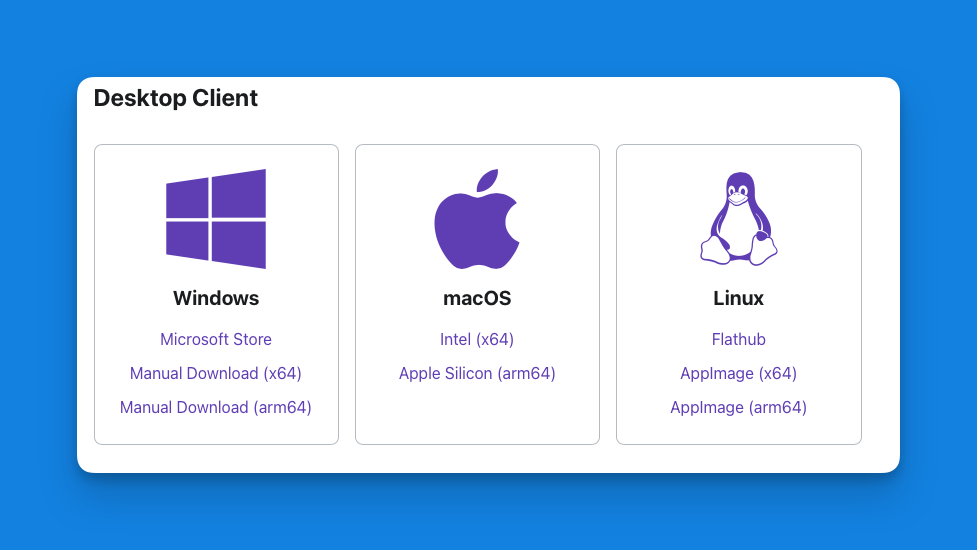
Once you set up your server, pick your client, or you can just use your browser. Admittedly, there is not a true mobile client yet, but the web app has a PWA component, which is fine for on-the-go transaction entry.
Categories
Proper categorization of your expenses can help you reach your financial goals. I was taught early in my career, “You can’t manage what you don’t track.” I don’t think a person could spend too much at Starbucks if they plan for it. Just like I don’t think we should go into debt for Christmas, since it happens every year, so why not plan for it before it happens. Here are some general categories, but the best categories are the ones that reflect your life.
- Savings
- Food
- Groceries
- Dining Out
- Utilities
- Electric
- Gas
- Water
- Trash
- Phone
- Housing
- Rent/Mortgage
- Insurance
- Transportation
- Car Payment
- Gas
- Insurance
- Health
- Vision
- Healthcare
- Prescriptions and Supplements
- Insurance
- Childcare
- Lifestyle or Entertainment
- Fun Stuff
- Vacation
- Personal Spending
- Clothing
- Personal Care
- Miscellaneous
- Debt
- Credit Card
- etc.
Starting Balances
The philosophy behind most systems designed to get your money order typically begin with the cash on hand you have. So we are going to start there too. The first step is to enter the amount available in all of your checking accounts.
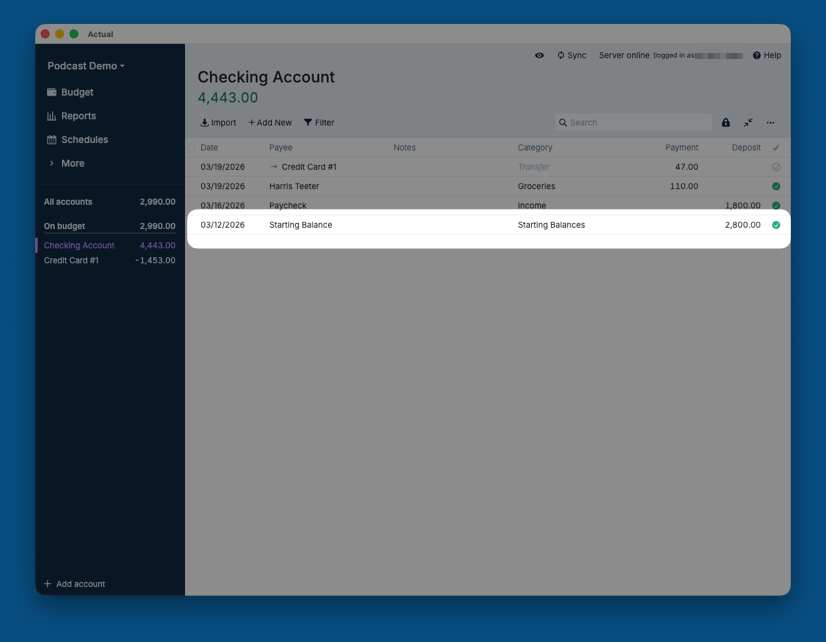
If you have credit cards or other debts, enter their starting balances as negative values.
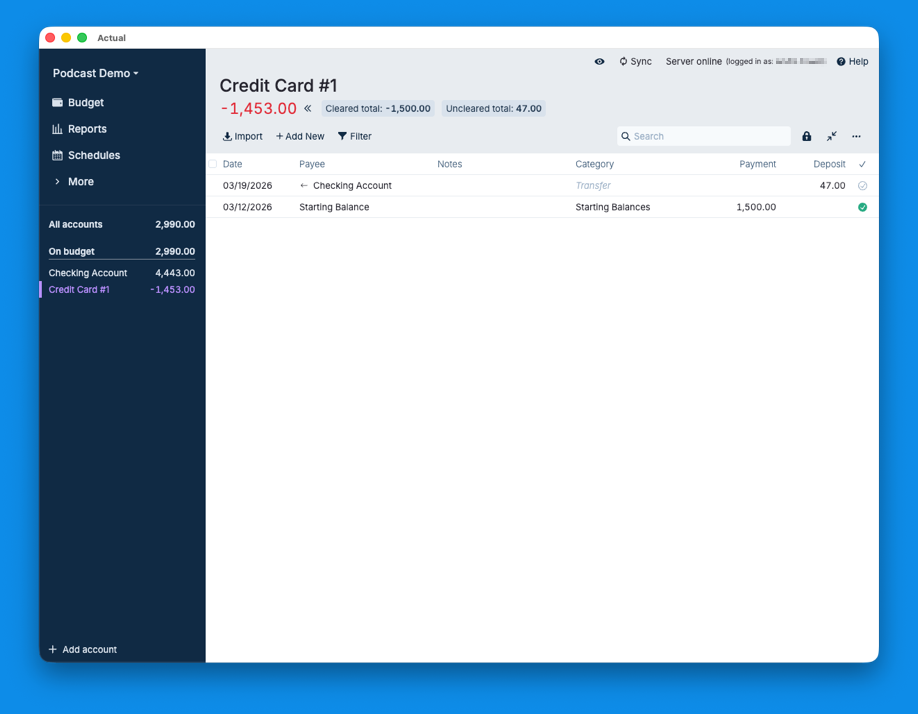
Knowing where you are today is important because you are no longer dreaming; you are taking action. From this day on, you have to make sure you track your spending, but before you do that, you are going to plan where you spend your money.
The Budget
Now, this part is independent of any software you choose, but both Actual Budget and YNAB make this the center of how you will spend in the future. I prefer to put the categories in order of priority, and you may find this helpful too. Based on the money you have available, assign it to your most pressing categories.
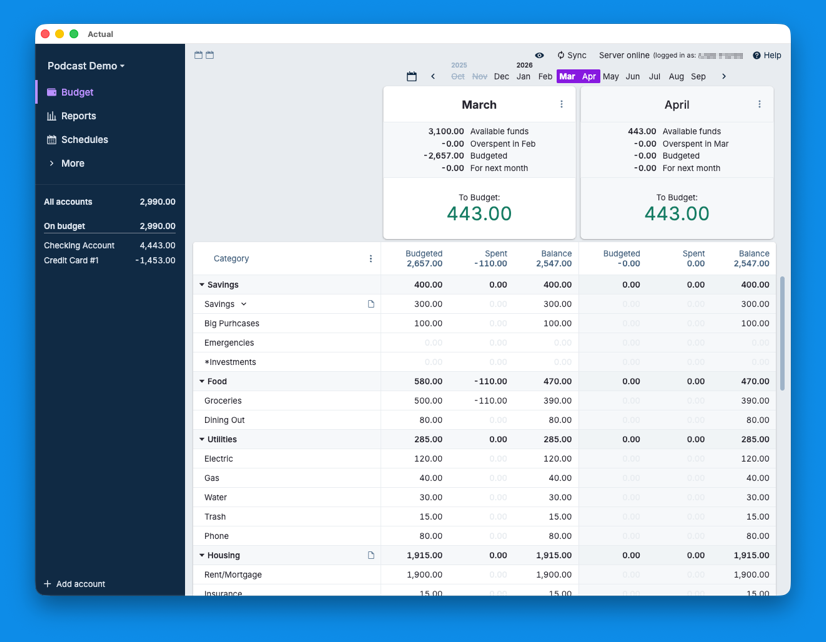
Although it is tempting to assign money to every category, remember to only assign money you actually have available. The second part of this process is that you only spend the amount available in each budget category.
Wash, Rinse, and Repeat
You will earn more money and spend it. The basic idea is to assign how it gets spent and adjust as needed. YNAB is a wonderful tool, and Actual Budget is just as good, if not a better replacement. The development team behind the software seems pretty committed to its future.
So if you are looking to get your personal finances in order, give Actual Budget a try. I plan on taking part of the money I was going to give YNAB to the development team over at Actual Budget so they can keep on building and for others to have options.
